Features
What Kassa does, and which plan includes it
The badge on each card shows the lowest plan that includes it. Each plan includes everything in the plans below it.
Selling at the counter
Starter- Scan a barcode, search by name or press a button
- If a barcode isn't on file, Kassa looks it up in Open Food Facts. You add a price and sell it
- Park a sale to serve the next customer, then bring it back at today's price
- Staff need permission to give refunds, void lines or add discounts
- Challenge 25 prompt and refusal log on every plan, including the free one
Customer display
Starter- Shows each product and the running total as the cashier scans
- Shows the amount paid, card approval and change due
- Works on a second monitor, a pole display or a tablet
- Shows your logo and offers between sales
Your branding and till layouts
Standard- Your logo and colours on the till, the back office, receipts and the customer display
- Set out the till buttons on a grid, with your own colours, labels and actions
- Use different layouts for different counters, departments or shifts
- A new layout reaches every till on its next sync
Products, stock and suppliers
Standard- Barcodes, PLUs, cost and shelf prices, margins, and VAT set by category
- Stock for each branch. Every stock change records who made it and why
- Import price files and delivery notes from Booker, Bestway, Parfetts and Nisa
- Price changes from a file wait until you accept them. Scheduled feeds are on Pro
- Count your stock with a stock take, and order from suppliers with a PDF or CSV order form
Cafés and food to go
Standard- Draw your rooms and tables, and keep a tab open on each table
- See how long each table has had its tab open
- Add options to a product, such as an extra shot for 50p more
- Send orders to a kitchen screen that shows how long the oldest one has waited
Clothing and footwear
Standard- Set up a style once, with its sizes and colours
- Kassa creates a product for each size and colour
Newspaper rounds
Standard- Record which papers each customer gets and on which days
- Record holiday stops
- Raise each customer's weekly paper bill
Phone app for the shop floor
Standard- An Android app that connects to the back office over the shop's Wi-Fi
- Check prices, count stock, scan for gaps on the shelf and book in deliveries
- Pick online orders and edit products from the shop floor
- It never uses the internet, so it works when the broadband is down
Cashing up and reports
Standard- Take X-reports during the day and a Z-report at close, with the cash you counted
- Record payouts and waste with a reason
- More than 70 reports, including daily takings, margin by category and stock turn
- Download any report as a CSV or PDF
Staff and permissions
Standard- Each cashier signs in with a PIN. Every sale records who took it
- Choose exactly what each role is allowed to do
- A supervisor can approve a refund without seeing cost prices
- You can keep staff to their own branch
Card terminals
Pro- Dojo, Viva Wallet, SumUp, Square and Stripe Terminal
- The till sends the total to the terminal. Nobody types the amount in
- Take cash, card and vouchers on the same sale
Shelf labels
Pro- Design shelf labels in millimetres to match the A4 label sheets you buy
- EAN-13, EAN-8, UPC-A and Code 128 barcodes
- Changed prices go into a print queue, so you print full sheets
- Multibuys, bundles and promotions run on Standard
Digital age checks
Pro- Check a customer's digital ID with Yoti or OneID at the till
- If the result is under age, the refusal form opens. The cashier still makes the decision
- The Challenge 25 prompt and refusal log work on every plan
Ad campaigns
Pro- Start a Google Ads, Meta or TikTok campaign from a product's page
- Kassa creates it paused in your own ad account. You finish it and switch it on
- Compare what you spent with what those products sold in the shop
Web dashboard and branches
Enterprise- Use the back office in a web browser as well as on the office PC
- See every branch's takings and stock on one screen
- Share products, prices and staff across branches
- Compare branches by takings, baskets and share of sales
- Connect your own software to Kassa with an API key
Your shop's website
Enterprise- Build pages from ready-made sections: opening hours, a map, photos, products and contact details
- Start from a template: front page, about us, find us, what's on or get in touch
- Your site is at yourshop.kassapos.co.uk, or on your own domain once you add its DNS records
- Pages use your shop's colours. Each page has its own title and description for search engines
- Your Google profile link goes in the footer. Your Google review link prints as a QR code on receipts and labels
Selling online and delivery apps
Enterprise- List your products on Google, Facebook, Instagram and TikTok
- List your menu on Deliveroo, Uber Eats, Just Eat and Snappy Shopper
- Orders from all of them come into the till and reduce your stock
Accounts and VAT
Enterprise- Export daily takings in a file Xero, QuickBooks or Sage can import
- Export the nine VAT return boxes for your Making Tax Digital bridging software to submit
- Kassa doesn't send anything to HMRC itself
Questions in plain English
Enterprise- Ask a question about sales, stock or VAT. The answer shows the query it ran and the rows it read
- Get alerts for stock that isn't selling, sudden demand and high waste
- Price cut suggestions wait for you to approve them. You can let small cuts under a limit go through
- Set up local AI on the back office computer with one button, so your figures stay with you, or use Groq, Gemini, Mistral or OpenAI
Your own online shop
Commerce- A shop on your own web address, with no commission on orders
- Customers choose collection, local delivery or post at checkout
- Uses the same prices, stock and offers as the till
- Plan delivery rounds, track drivers and record the age check at the door
Prices for each plan are on the pricing page.
Screenshots
Screenshots of Kassa in a demo shop
These screenshots come from a demo shop with 90 days of sales.
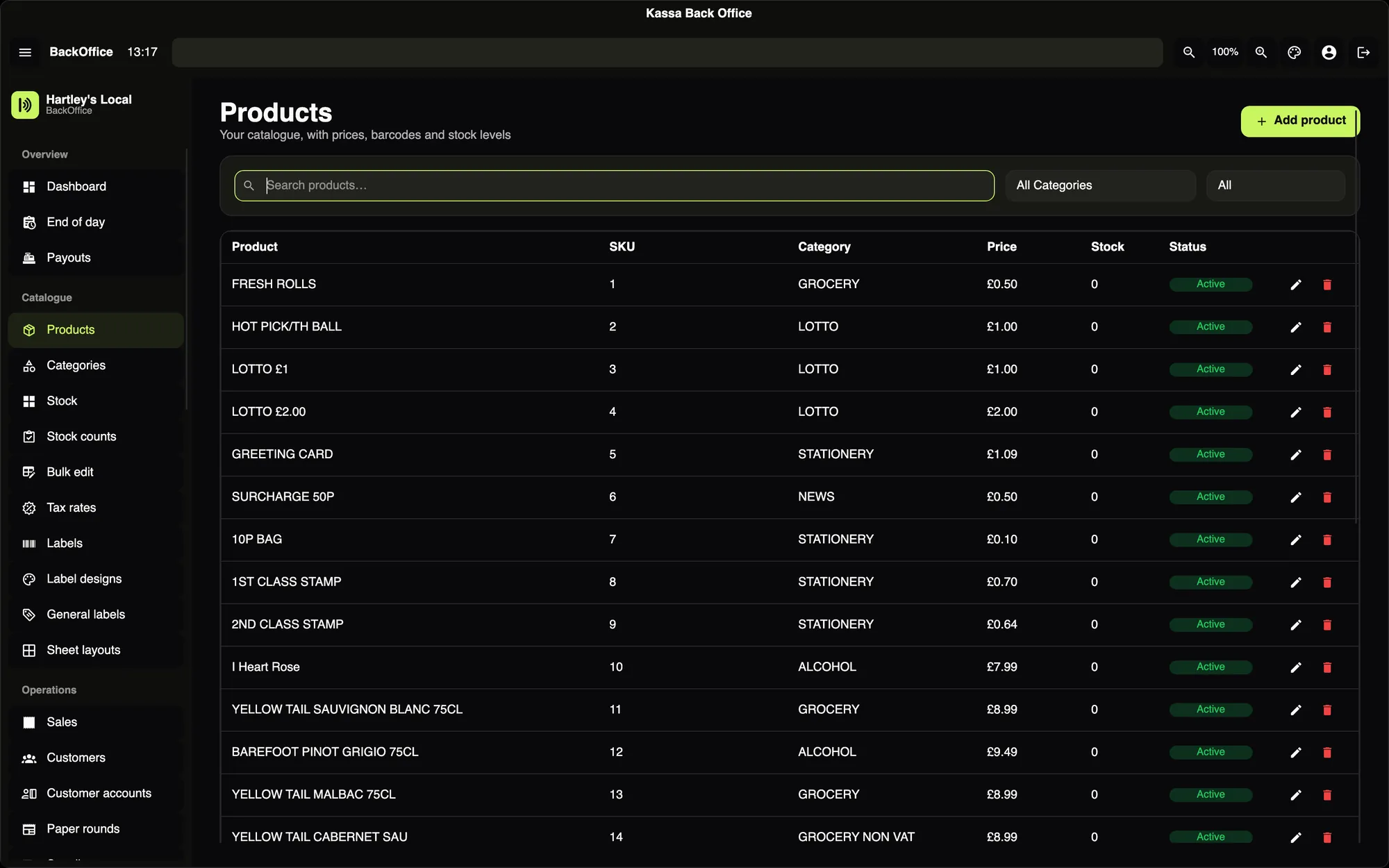
Search all your products and see their prices, VAT and stock.
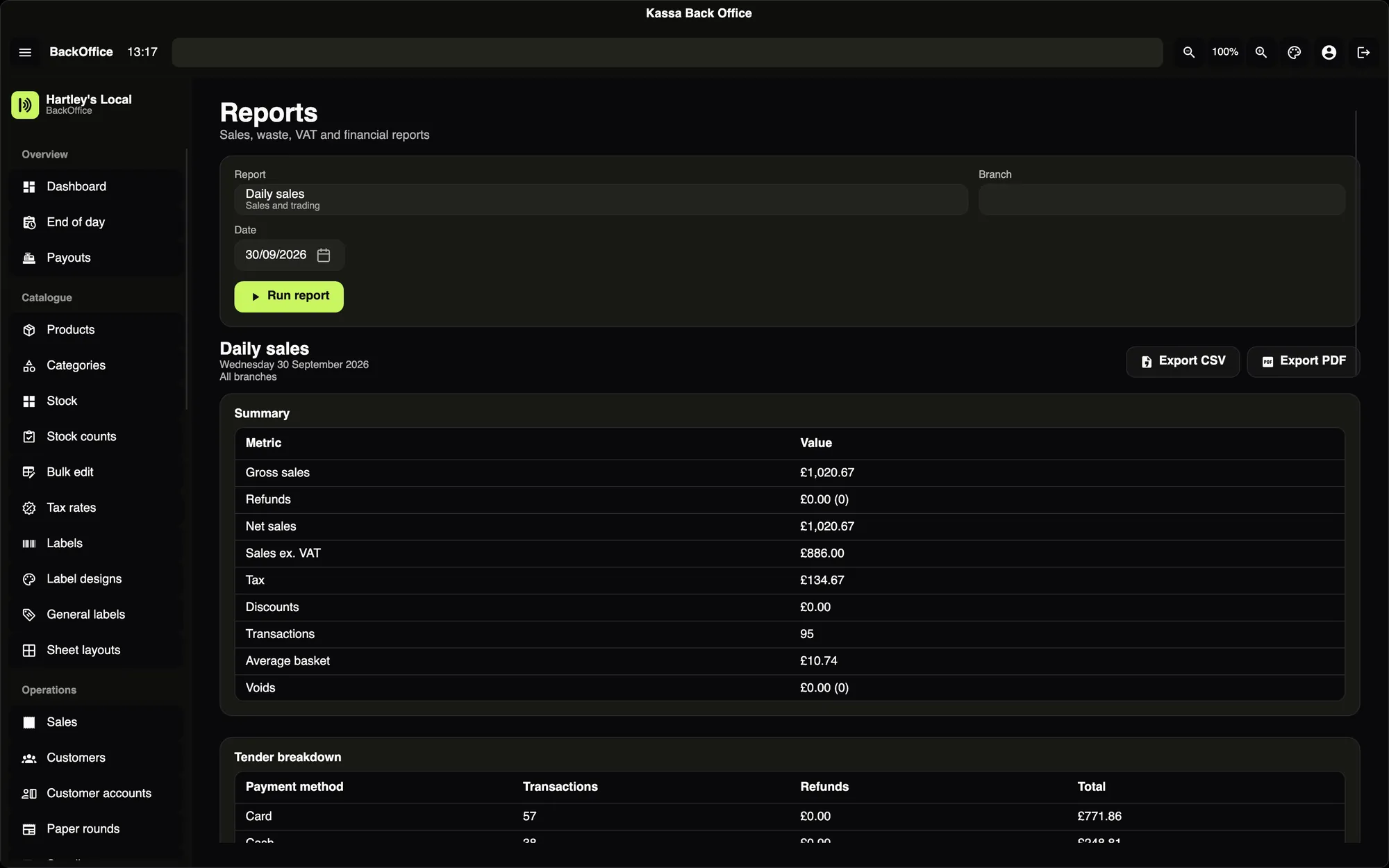
The same reports on the office PC. Download them as CSV or PDF.
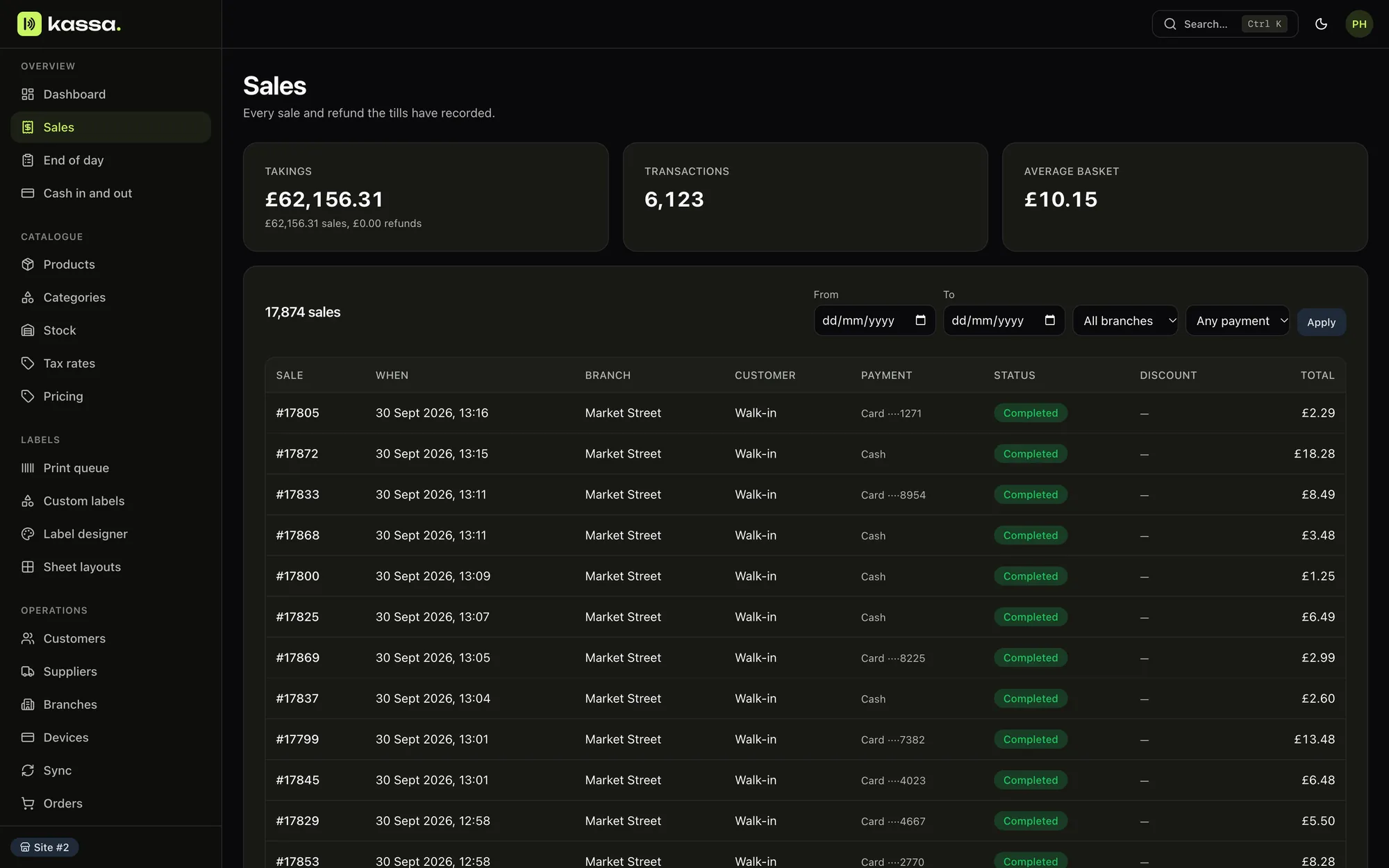
Every sale and refund, and how each one was paid.
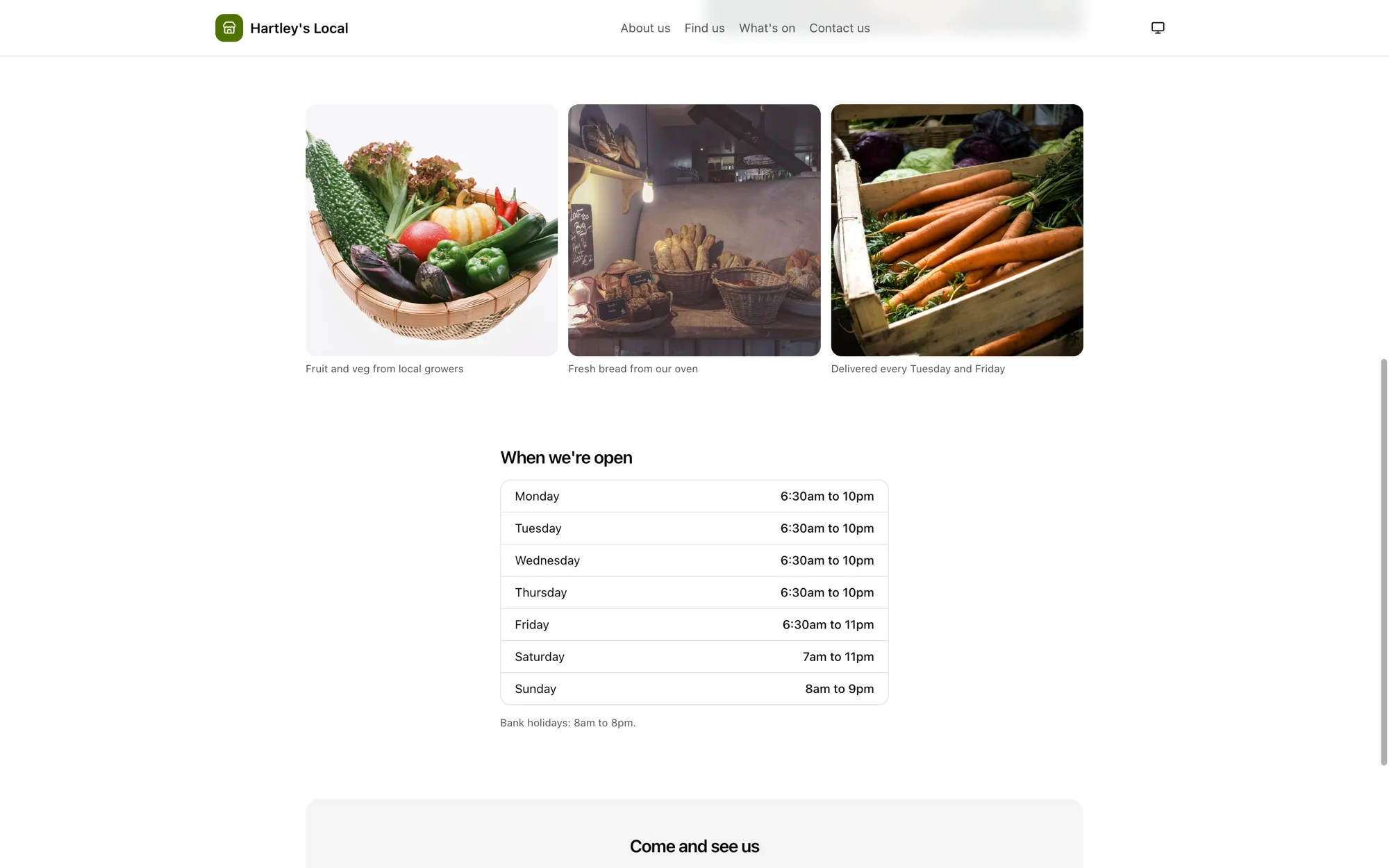
A shop website with photos and opening hours, built from ready-made sections.
Integrations
What Kassa connects to
Card terminals
ProThe till sends the total to the terminal and waits for the result. Nobody types the amount in. If the card is declined, the sale stays unpaid.
Selling on Google, Facebook, Instagram and TikTok
EnterpriseKassa sends your products and offers to each platform. Orders from there come into the till as sales and reduce your stock.
Ad campaigns
ProKassa creates the campaign and budget in your own ad account and leaves it paused. You choose who sees it and switch it on. Then you compare the spend with what those products sold in the shop.
Delivery apps
EnterpriseThe back office sends your menu, prices and opening status to each app. Orders come into the till. Each app has to approve your account before it connects.
Accounts and VAT
EnterpriseExport daily takings in a file your accounts package can import. Export the nine VAT return boxes for your MTD bridging software to submit. Kassa doesn't send anything to HMRC itself.
Royal Mail parcel labels
CommerceBuy a Click & Drop label from the online order. The customer gets the tracking link. If you don't have a Royal Mail account, Kassa prints a packing note instead.
Digital age checks
ProCheck a customer's digital ID at the till. The cashier still makes the decision. The Challenge 25 prompt and refusal log work without it.
Questions
Questions shops ask before switching
See Kassa with your own products
We set up a till with your logo and some of your products, then show it to you in a 20-minute demo.